Today · 14:30–16:30
HOMELOCAL
 AirplaneHQPartnership operations
One shared home for your aircraft partnership
Schedule the airplane, keep its times current, track maintenance, settle shared costs, and preserve the records behind every decision—all in one place.
Today · 14:30–16:30
2 coming due
Tach hours
Logbooks · W&B · MX
Access reviewed
The product in your pocket
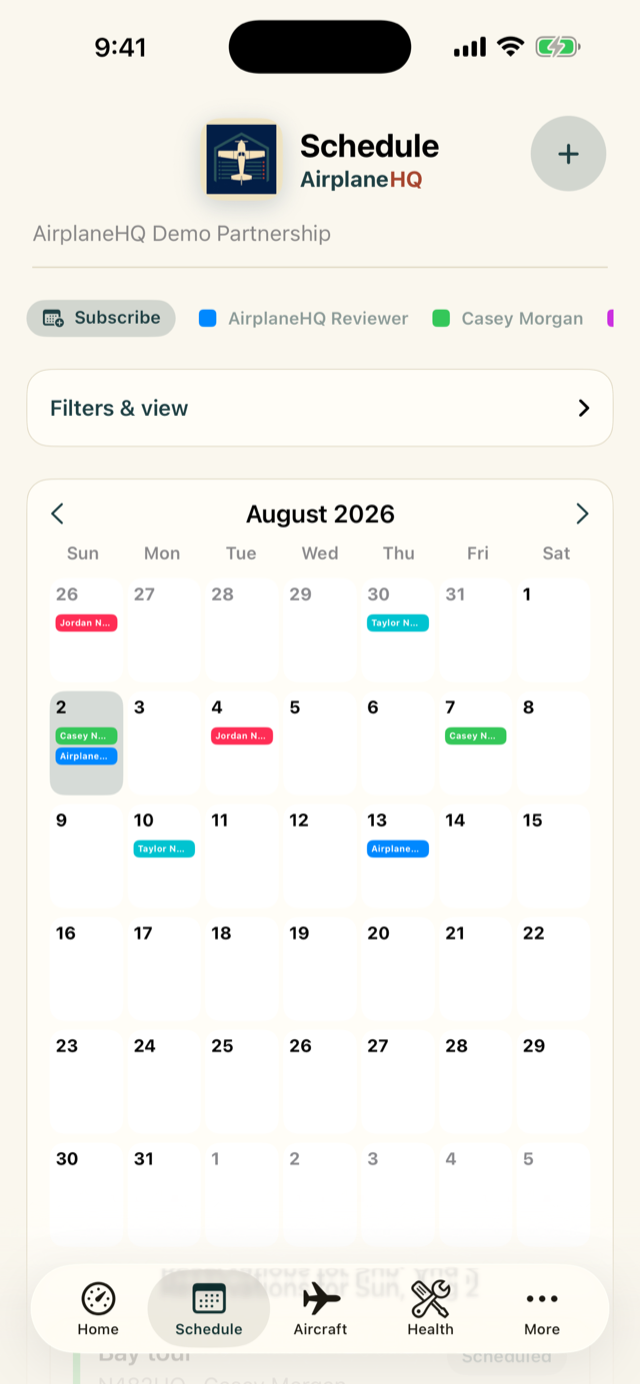
Reserve the airplane, record the actual flight, and let current tach and Hobbs time inform the maintenance tracker. Report a squawk from the ramp. Add a receipt before it disappears. Everyone sees the same picture on the web, iPhone, and iPad.
More than a shared calendar
AirplaneHQ is built around the handoffs that usually create extra work for one partner—or leave everyone reconstructing the story later.
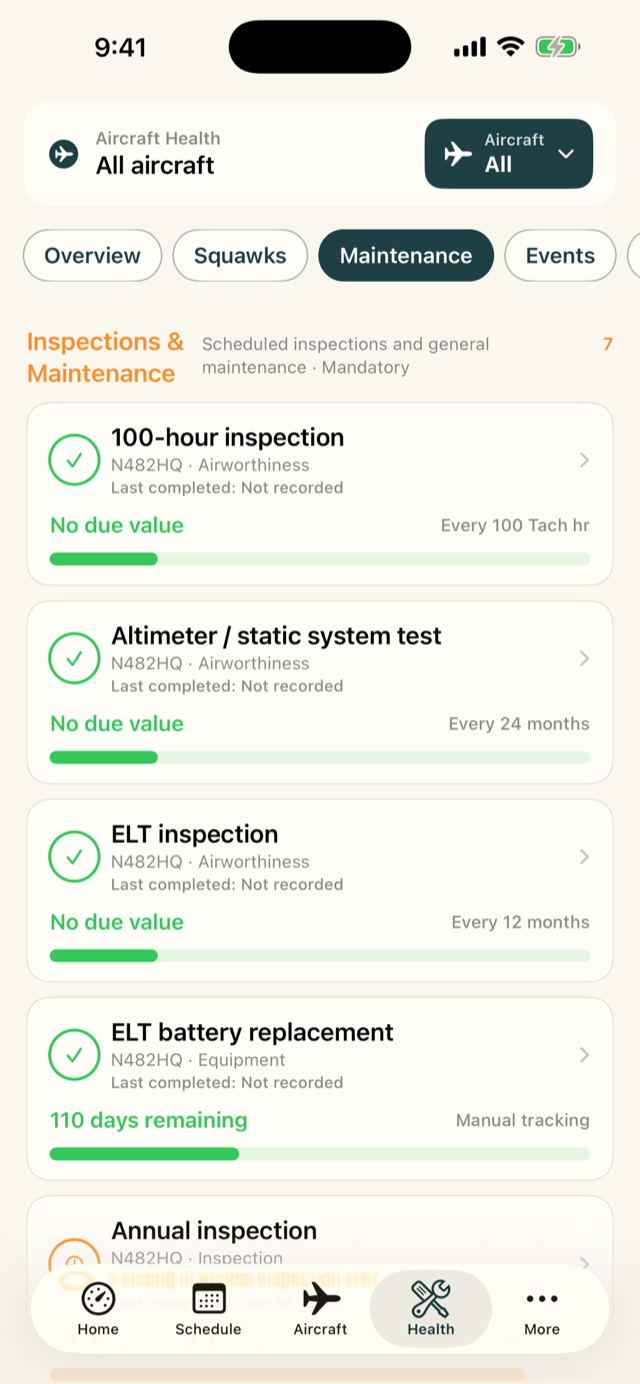
Post-flight tach and Hobbs entries update the aircraft picture, helping meter-based maintenance stay current and making coming-due notifications useful.
Group work into an annual or shop visit, complete several tracked items together, and carry the invoice, logbook entry, technician, and aircraft time into the permanent history.
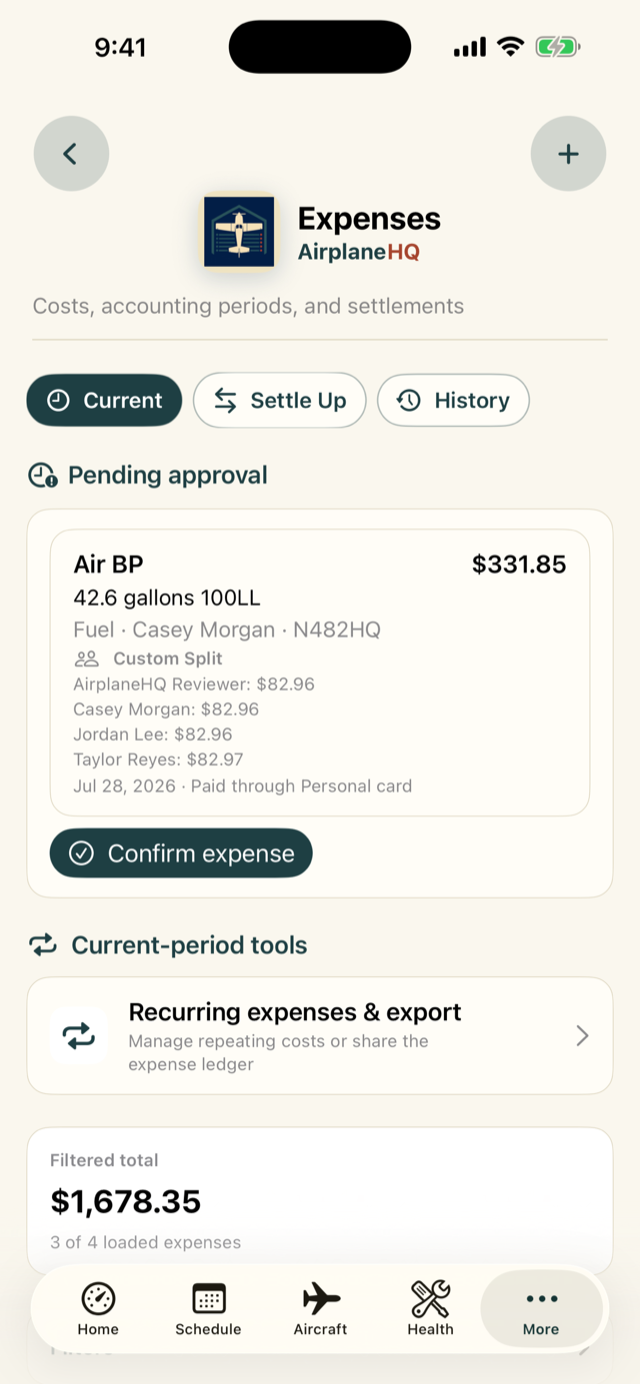
Choose exactly who shares each expense, generate recurring costs for review, see every member’s balance, and record the suggested payments that close the period.
A receipt uploaded to an expense and an invoice uploaded to maintenance are automatically available in Records. Digital logbook pages can be reviewed and linked directly to the work they support.
Everything the group needs
AirplaneHQ is useful on day one as a clean shared calendar. Add flight logs, maintenance, expenses, and records when the partnership is ready—without changing systems later.
Give every partner one clear calendar, then carry the reservation into the post-flight record.
→ 02Aircraft healthSee AVIATES context, maintenance requirements, components, squawks, events, and supporting records around the aircraft they affect.
→ 03Records and logbooksFind files uploaded anywhere in one library, and connect reviewed digital logbook evidence to the maintenance it supports.
→ 04Partnership accountingChoose who shares each cost, see every balance, follow suggested payments, and preserve the settle-up history.
→ 05Members and accessCoordinate partnership roles, aircraft permissions, qualifications, and safe offboarding.
→ 06Awareness and reportingUse focused notifications and operational reporting to keep the partnership aligned.
→Review stays human
Documents and logbook regions stay connected to the maintenance records they support.
OCR and AI suggestions remain drafts until an authorized person checks the page and target.
AirplaneHQ helps organize operations; it does not determine airworthiness or approve maintenance.
A more organized partnership starts here
Create the partnership, add the aircraft, and invite the people who keep it flying.